Installation Instructions
The following step-by-step guide will get you started with XMC for Arduino:
Prework for SEGGER J-Link
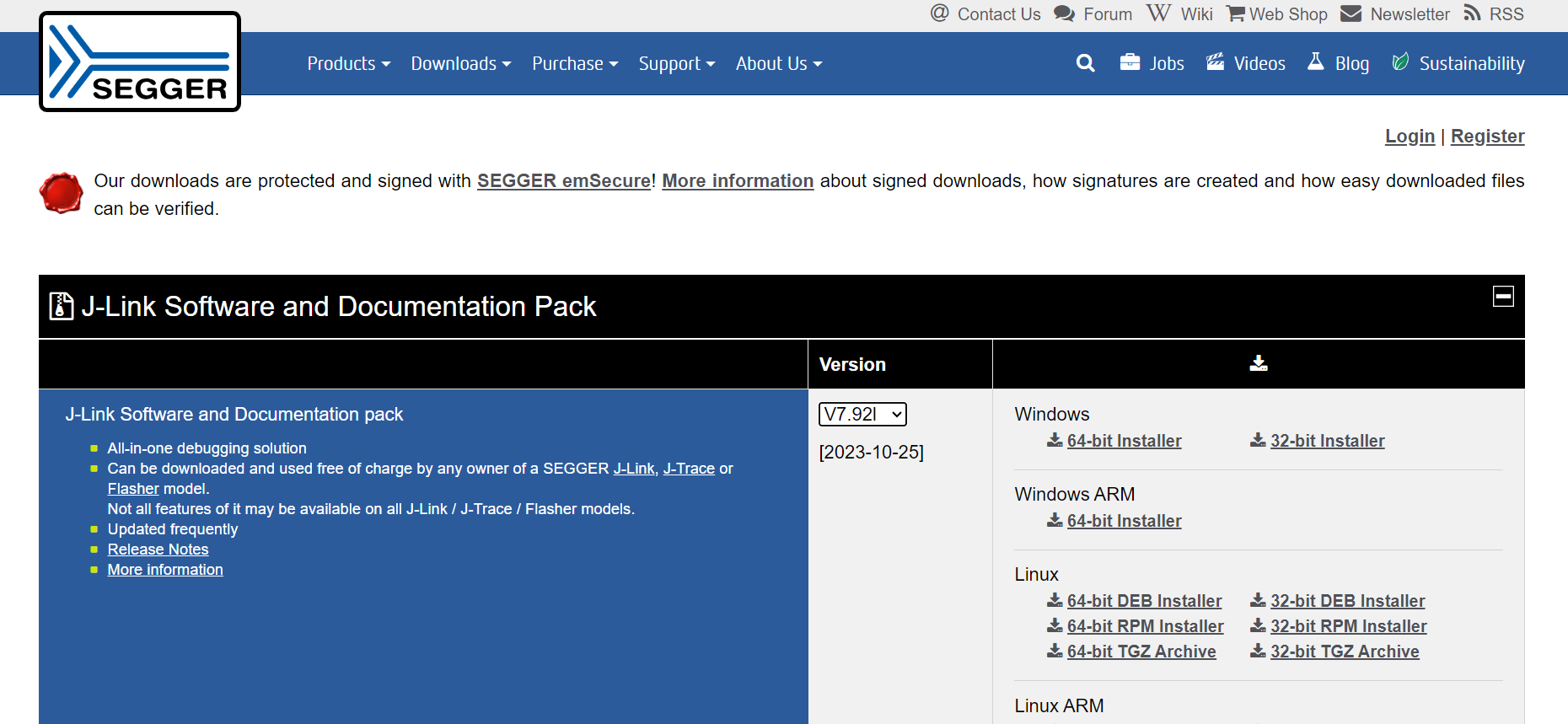
In order to use Infineon’s XMC microcontroller boards in Arduino you need SEGGER J-Link installed on your machine first. Please follow this link and install the J-Link Software and Documentation Pack for your respective operating system.
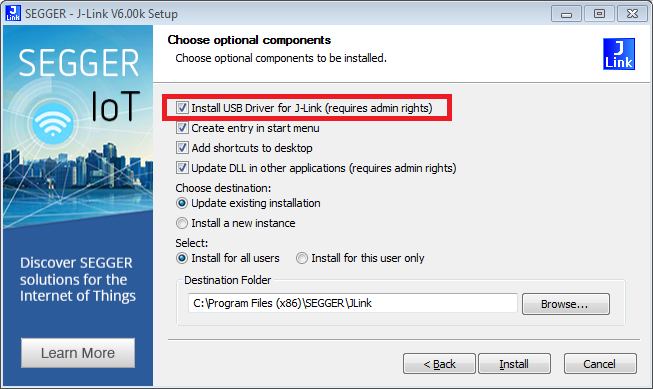
If you are downloading J-Link for the first time, make sure to check the box Install USB Driver for J-Link.
Required Tools
XMC for Arduino requires Python 3.x and pyserial. Make sure Python is installed on your machine and available in the system path.
Note
When installing Python on Windows, ensure you check “Add Python to PATH” before clicking install. This allows XMC for Arduino to find the Python executable.
If you forget this step, you can add Python to PATH manually later.
You can check if it was successfully installed by opening your command line or terminal and typing:
python --version
With pip available, install the mentioned packages from a terminal:
pip install pyserial
Integration in Arduino IDE
Note
We recommend to use Arduino IDE 2.0 or newer.
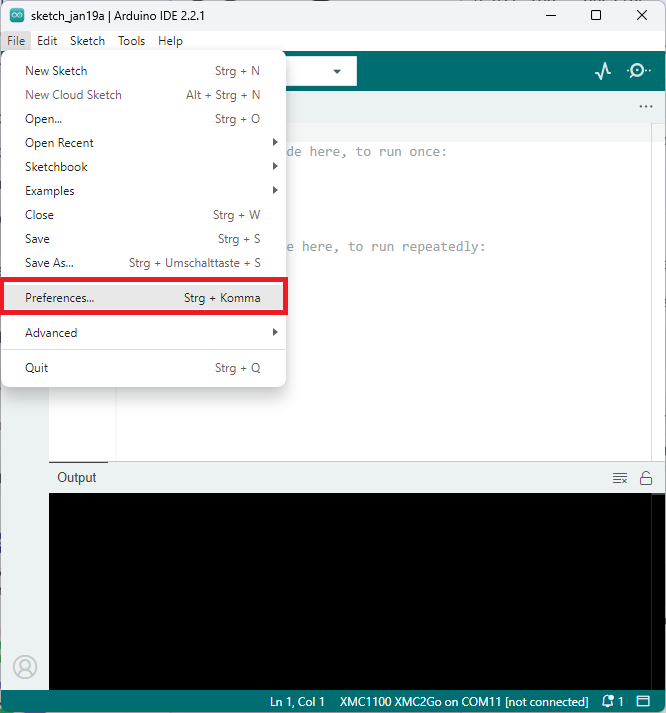
Paste the following URL into the Additional boards manager URLs input field under File > Preferences to add Infineon’s XMC microcontroller boards to the Arduino IDE:
https://github.com/Infineon/XMC-for-Arduino/releases/download/latest-3.x/package_infineon_index.json
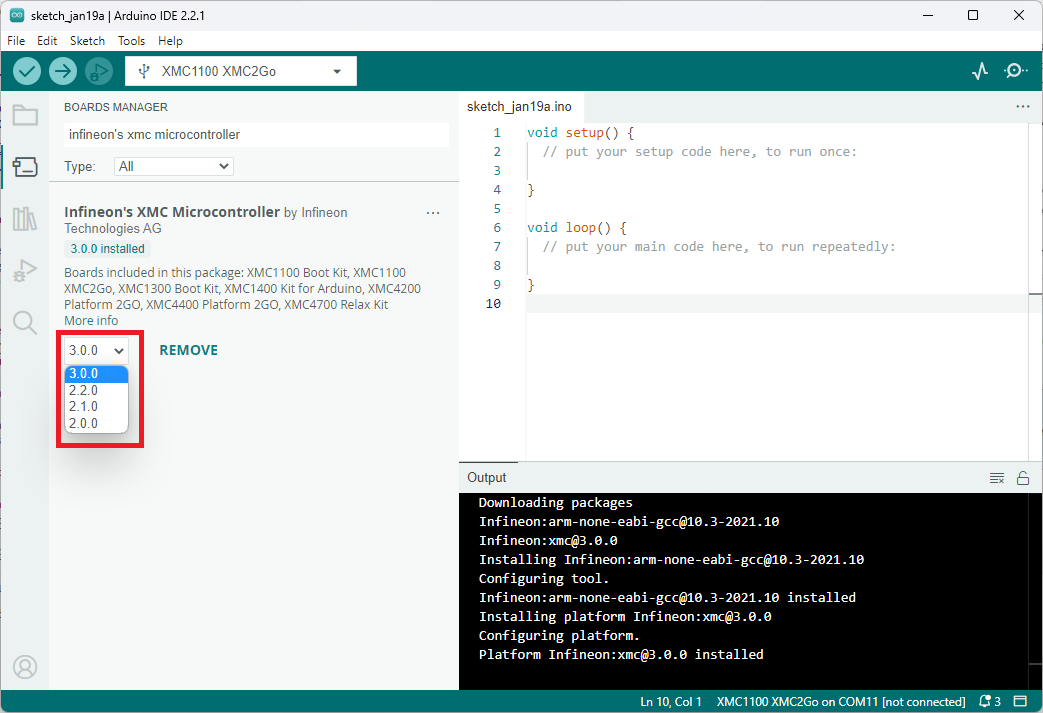
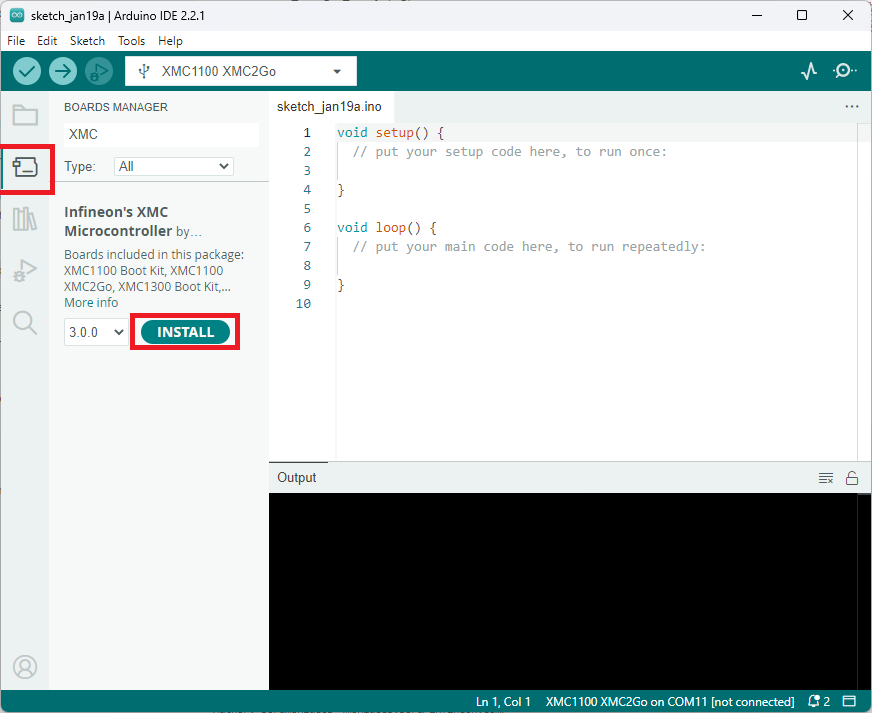
To install the boards, navigate to Tools > Board > Boards Manager… and search for XMC. You will see options to install the board files for the microcontrollers. Click Install to add the boards to your Arduino IDE.
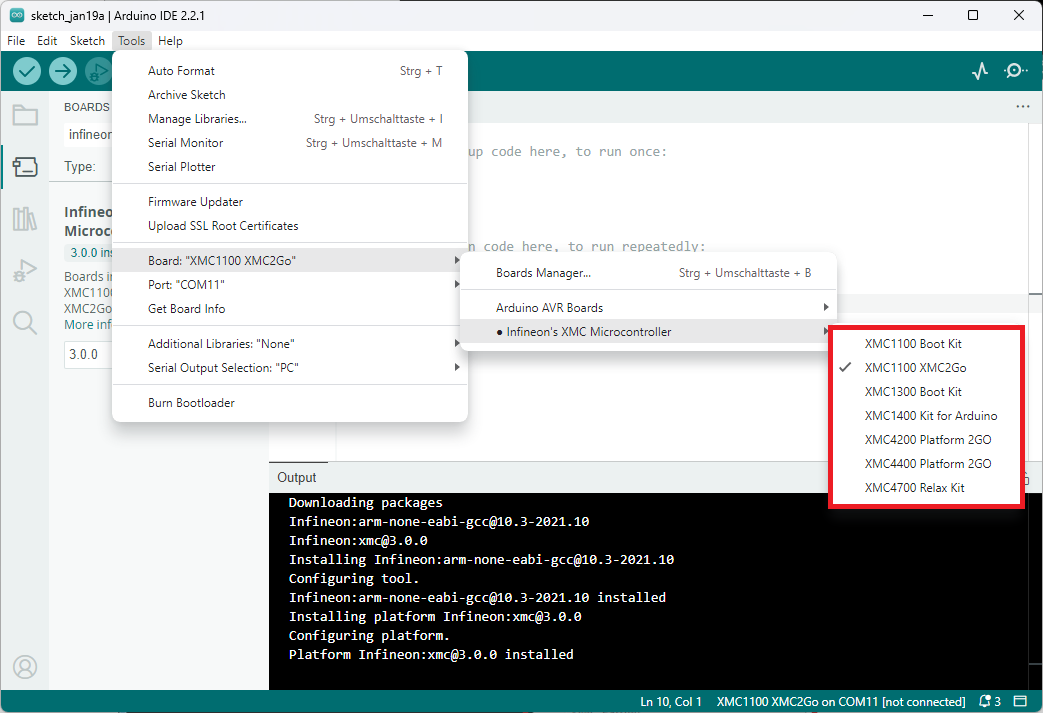
In the board list in Tools > Board, you will now find the supported XMC microcontroller boards.
Release Packages from Version 3.0.0 onwards
Certain obsolete boards and non-functional libraries were removed from the board support package for the release version 2.0.0, alongwith some other major changes (see release notes). Since the release of version 3.0, the release index does not contain versions before 2.0 anymore.